CRM Settings - "Conversation AI" Tab
Managing the Conversation AI Feature and Rebilling
Once the Conversation AI feature is enabled for your main CRM account, a dedicated Conversation AI tab will become available in your CRM settings area. From this tab, you can control feature access and billing settings for your individual sub-accounts.
Enabling or Disabling the Feature for a Sub-Account
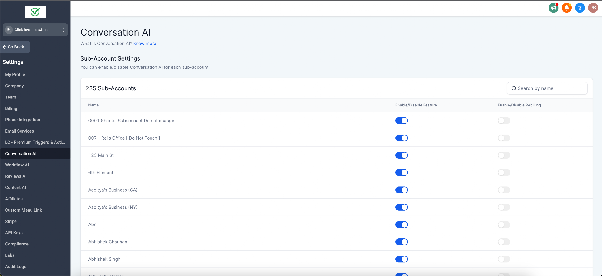
Within the Conversation AI settings, you will see a list of your sub-accounts. For each one, you can use a toggle switch to control their access to the Conversation AI tools.
- Toggle On: The sub-account users can access and use all Conversation AI features.
- Toggle Off: The sub-account's access to Conversation AI is immediately revoked. Any AI-powered conversations or content generation within that sub-account will stop.
This allows you to grant or restrict this advanced functionality on an account-by-account basis.
Controlling Rebilling for a Sub-Account
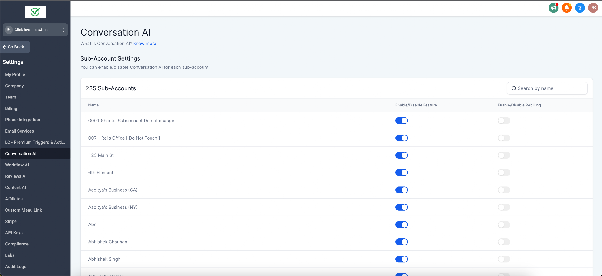
Separate from feature access, you can manage whether usage costs for a sub-account are passed on to them via rebilling. A second toggle switch is provided for this purpose next to each sub-account.
- Toggle On (Rebilling Enabled): The sub-account will be billed by your agency for their use of the Conversation AI feature.
- Toggle Off (Rebilling Disabled): Rebilling for that sub-account is stopped. Your main CRM account will be responsible for covering the costs of that sub-account's AI usage.
Use this setting to determine which accounts you invoice for AI services and for which accounts you absorb the cost.