How to fix grammar and spelling, make longer content and improve writing in Blogs?
Enhance Your Blog Writing with AI Tools
The CRM includes AI-powered writing tools within the blog editor to help you improve grammar, expand or condense text, and refine your content for clarity and impact. These features allow you to polish your blog posts directly without leaving the platform.
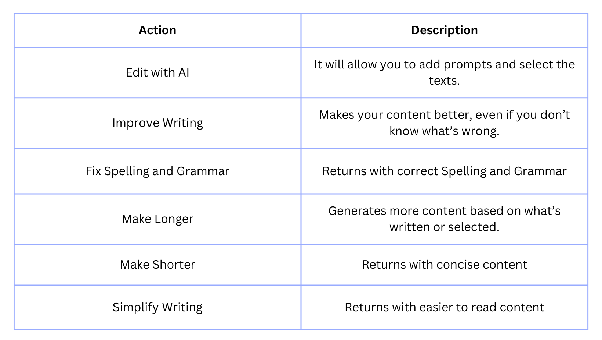
Available AI Writing Actions
When editing a blog post, you can select text and choose from several AI-powered actions:
- Improve Writing: Enhances overall quality, tone, and engagement of your content.
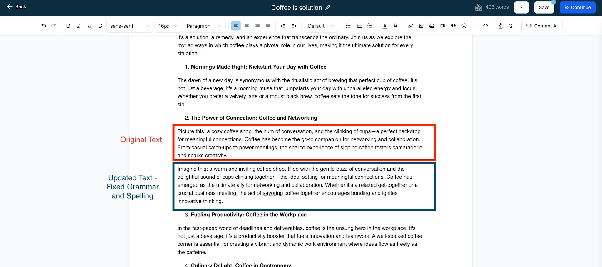
- Fix Spelling and Grammar: Corrects errors while preserving your intended style.
- Make Longer: Expands your text with relevant details and descriptive language.
- Make Shorter: Condenses content to be more concise while keeping key points.
- Simplify Writing: Rephrases complex sentences for better readability.
How to Use AI Writing Tools in Your Blog
Navigate to the Sites section of your CRM and open Blogs.
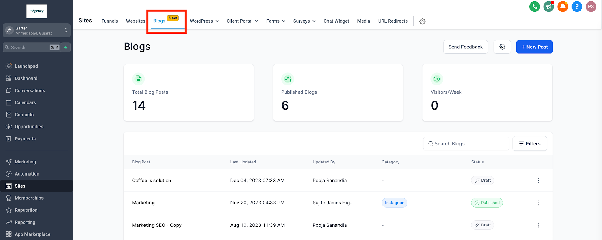
Create a new blog post or edit an existing one. If starting fresh, enter your SEO details and begin writing.
Look for the AI icon or option in the blog editor toolbar.
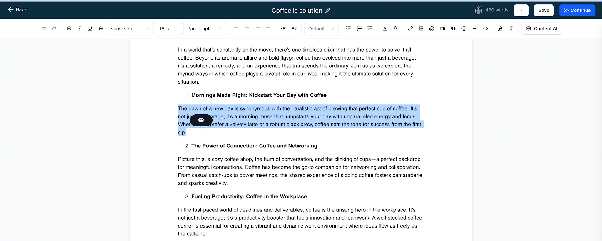
To use an AI action, either type new content using the AI assistant or select existing text in your post.
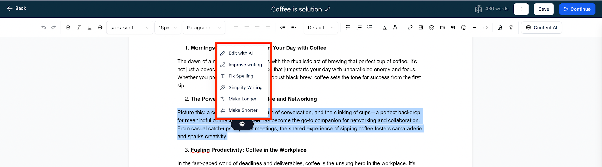
Choose the desired action from the menu. If no text is selected, the AI will use all text in the editor.
The AI will generate results, which you can review.
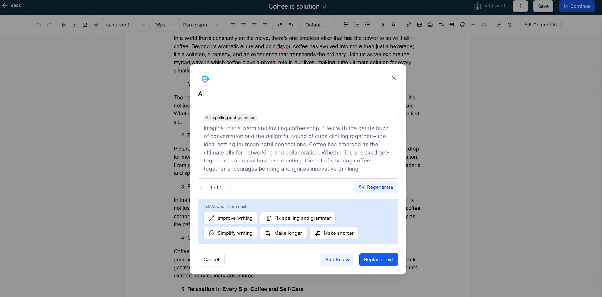
You can insert the AI-generated content below your selection or replace the original text entirely.
All AI-generated content is saved in the Automation > Content AI section, where you can view your history and reuse previous outputs.
Using these AI tools can help you produce professional, error-free, and engaging blog content more efficiently.