Add Blog Post Element in Funnel(s) step or Website(s) page
Add a Blog Post Element to Your Funnel or Website Page
You can showcase your blog content directly within your funnels or website pages using the Blog Post element. This allows you to display recent posts, posts by category, or posts by a specific author.
Steps to Add a Blog Post Element
First, navigate to your Sites section and open the editor for the specific funnel step or website page where you want to add the blog content.
In the editor, locate and add the Blog Post element to your layout. You can drag and drop it into the desired position on your page.
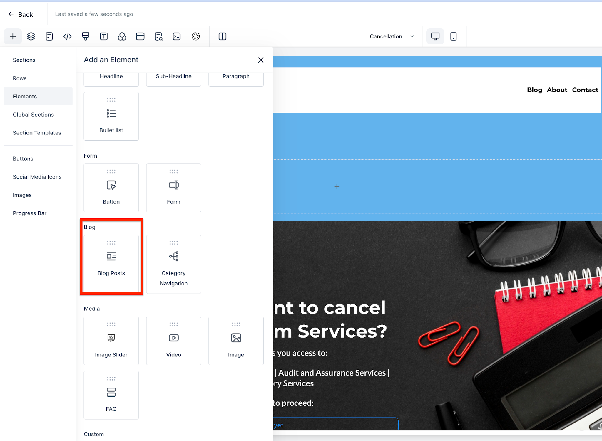
Once the element is placed, you’ll need to select which blog you want to display content from. Choose the appropriate blog from the available list.
Note: If you’re using an older blog setup, you may need to select the default blog site option for it to work correctly.
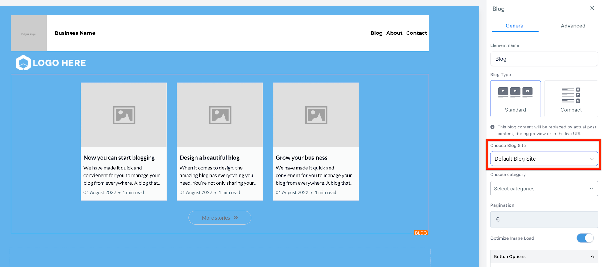
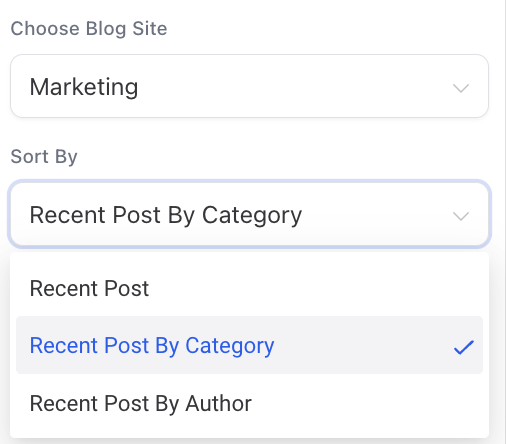
Next, apply a filter to control which posts are displayed. You can choose from:
- Recent Posts
- Recent Posts by Category
- Recent Posts by Author
Depending on your selection, you may need to choose a specific category or author.
Note: Filtering is based on the publication date of your blog posts.
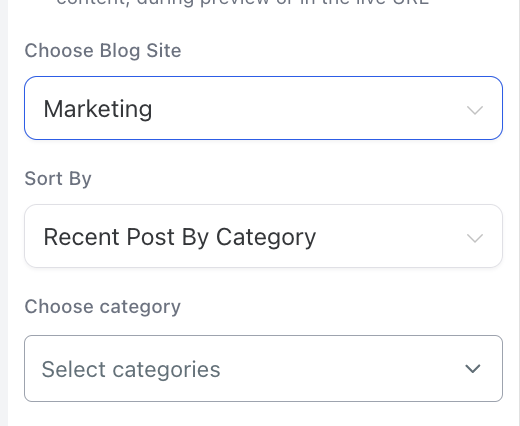
After configuring these settings, save your changes. The selected blog posts will now appear on your page, helping you engage visitors with relevant content.