Improved Email Campaign Flow and Campaign Summary Page
What's New?
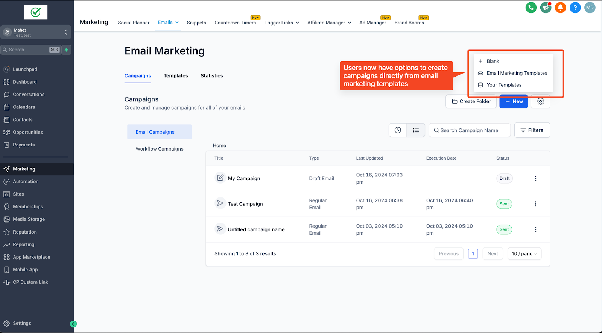
- Start Campaigns Directly from the Template Library
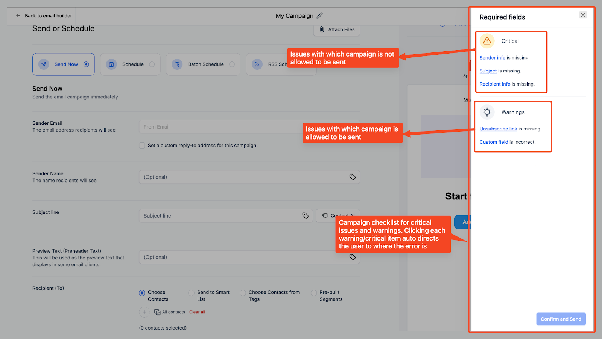
- Checklist for missing or incorrect fields, so you can quickly resolve any issues before sending.
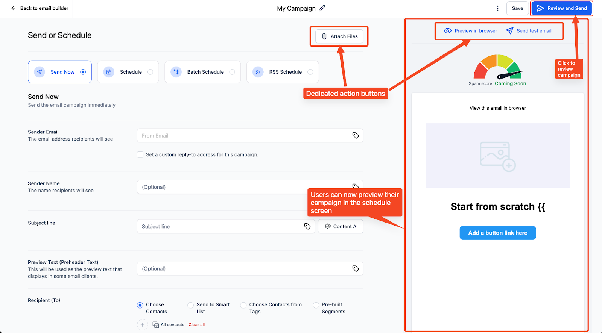
- Improved UI of send or schedule screen: See your email design while composing the subject line and preview text for a smoother workflow.
How to Use It:
- Go to Email Marketing -> Campaigns.
- Click New -> Email Marketing Templates.
- Choose a template and click Continue.
- Design your email, then click Send or Schedule.
- Enter key details like subject line, sender info, etc.
- Preview your email on the right, hover to edit if needed.
- Check for warnings in Required Fields, then click Confirm & Send.
Note:
Currently, the checklist highlights mandatory fields and identifies errors in custom fields. Moving forward, we plan to enhance it by including email limit warnings, content issues, and more.