Google Postmaster Tools
What Is Google Postmaster Tools?
Google Postmaster Tools is a free service from Google that helps you monitor and improve your email deliverability to Gmail users. It shows you how Google views your email sending practices by tracking your domain and IP reputation, spam complaint rates, and email authentication results (like SPF, DKIM, and DMARC).
Using this tool, you can see if your emails are landing in the inbox or being filtered as spam, and take action to maintain a strong sender reputation.
Why Use Google Postmaster Tools?
Your email deliverability depends heavily on your reputation with email providers like Gmail. Google Postmaster Tools gives you data to understand and improve that reputation by showing:
- Spam rate: How often recipients mark your email as spam.
- Domain & IP reputation: Whether your sending domain and IP addresses are considered trustworthy.
- Authentication status: Whether your emails are correctly authenticated with protocols like SPF, DKIM, and DMARC.
By keeping an eye on these metrics, you can spot issues early and ensure your emails reach the inbox.
How to Set Up Google Postmaster Tools with Your CRM
You can connect Google Postmaster Tools to your CRM to see deliverability metrics directly in your account. Before you begin, make sure you have already:
- Verified your domain in Google Postmaster Tools.
- Set up SPF, DKIM, and DMARC records for your sending domain.
Step 1: Access Postmaster Tools in Your CRM
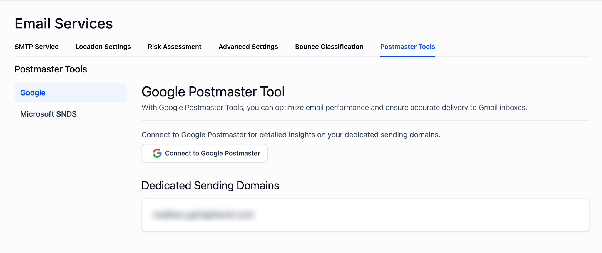
Go to your CRM settings, find the email services section, and select the option for Google Postmaster Tools.
Step 2: Connect Your Google Account
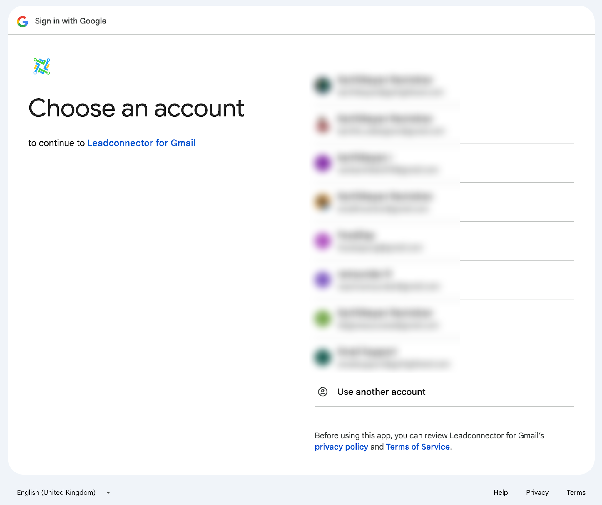
Click the button to connect to Google Postmaster. You’ll be prompted to sign in with the Google account that has access to your verified domain in Postmaster Tools.
Step 3: Grant Permission
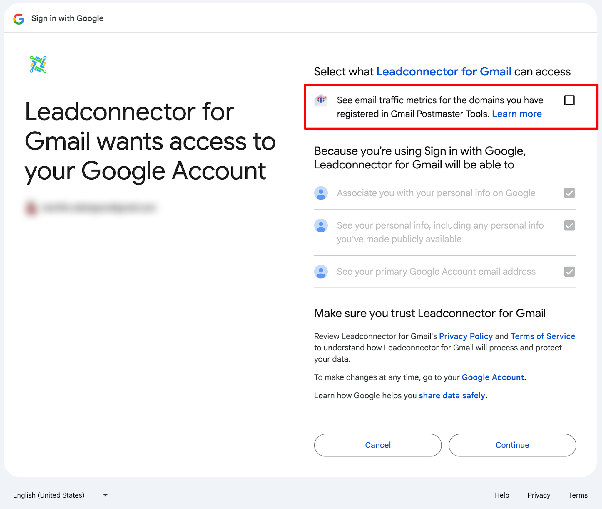
On the permissions screen, allow the CRM to view your email traffic metrics from Google Postmaster Tools. Confirm to complete the connection.
Step 4: View Your Metrics
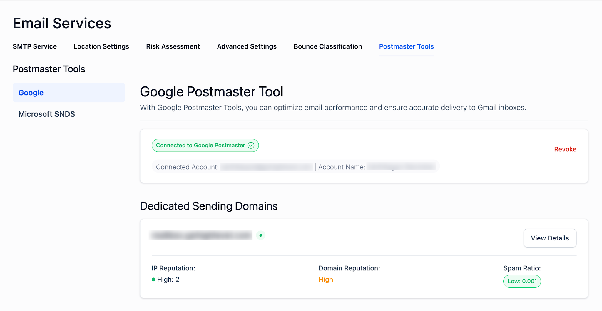
After connecting, your CRM will start displaying data from Google Postmaster Tools. It may take a few days for data to appear as Google gathers sending statistics.
Understanding Google Postmaster Tools Data
Once connected, you can monitor several important metrics directly in your CRM. These include:
- Spam rate: Percentage of emails marked as spam by recipients.
- Domain reputation: How Google rates your sending domain’s trustworthiness.
- IP reputation: Trust score for the IP addresses you send from.
- Authentication results: Success rates for SPF, DKIM, and DMARC.
- Delivery errors: Information on emails that failed to deliver.
- Encryption rates: Percentage of emails sent over secure connections.
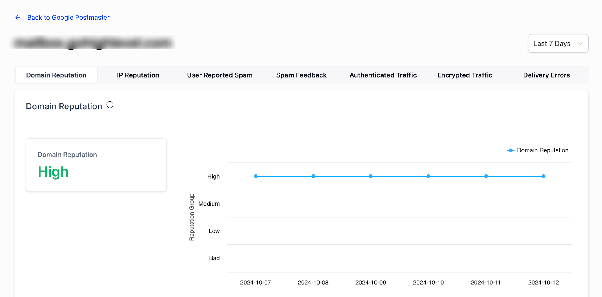
Regularly checking these dashboards helps you maintain high deliverability and address issues before they impact your email campaigns.