Timezone in Forms and Surveys
Managing Timezone in Forms and Surveys
Capturing a contact's timezone through your CRM forms and surveys is essential for accurate response timestamps and for personalizing your communication schedule. When enabled, this feature automatically records the visitor's local time, which you can then use to send messages and emails at appropriate local times.
Enabling the Timezone Feature
This setting is managed within the form builder. You'll typically find it in the form's general settings or options panel.
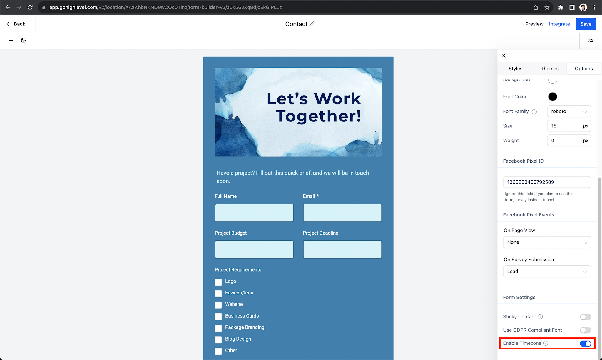
The timezone capture feature is enabled by default. To turn it on or off, locate the relevant toggle or checkbox labeled for timezone collection and change its status. When enabled, any new form submission will include this data.
Viewing and Using Timezone Data
Once collected, the timezone information is attached to each contact's form submission record within your CRM.
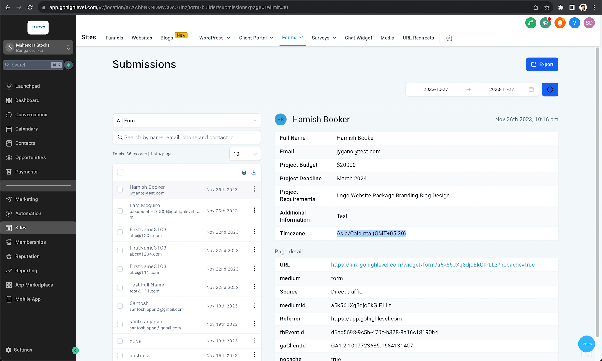
You can view the captured timezone in the submissions area for that specific form or survey. The data is presented in a standard readable format, typically showing the geographic region and GMT offset (e.g., "America/New_York (GMT-5)"). You can utilize this information to segment contacts or to configure automated campaigns that respect local time zones for sending emails and SMS messages.