Where Do Form Responses Show Up
Where Do Form Responses Show Up?
When someone fills out and submits a form you've created in your CRM, their responses are captured and stored for you to review and manage. There are two primary places to find this information: the Form Submissions area and within individual contact records.
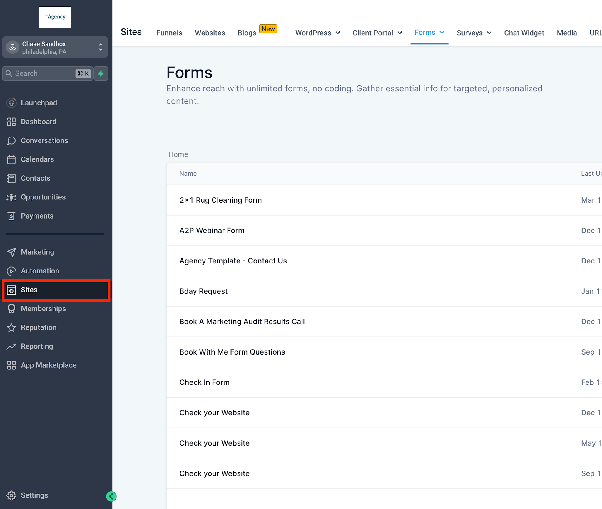
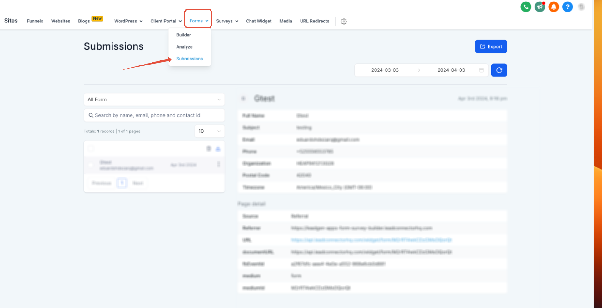
The main hub for all your form data is the Submissions section. To access it, navigate to the area of your CRM that manages forms, typically found under a menu like Sites or Forms. Within that section, look for a tab or link labeled "Submissions."
This page will list every form submission in chronological order. You can use search and filter tools to find specific entries. Clicking on any submission will show you the full details of what the person entered.
Viewing Form Data in Contact Profiles
Form responses are also automatically attached to the contact profile of the person who submitted them. If your form uses custom fields, the data from those fields will populate within the contact's details. To view this, go to your main Contacts section, locate the contact, and open their profile. You should see a history of their form submissions and the specific data they provided, which helps you maintain a complete record of all interactions with that person.