Phone Call Redirect Loop
Phone Call Redirect Loop
If you notice calls endlessly looping or piling up in your Conversations inbox, the most common cause is a misconfigured phone number assignment. This typically happens when a user’s personal phone number in their profile matches the Twilio number assigned to them in the CRM.
Another possibility is that the business phone number or forwarding number appears different from the Twilio number but is actually configured to route back to it. This creates a circular path, causing calls to loop repeatedly.
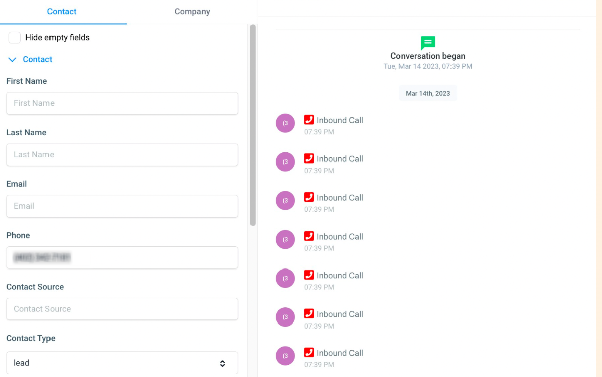
To resolve this, follow these steps:
- Navigate to the user management section of your CRM.
- Locate the user profile associated with the Twilio number.
- Check the phone number field in their profile details.
- If it matches the Twilio number, replace it with their actual personal or direct phone number.
- Save the changes and test the call flow to ensure the loop is resolved.
After correcting the number, incoming calls should route properly without looping, and your Conversations inbox should return to normal operation.