How to connect to your LinkedIn Profile(s) and Page(s)?
How to connect to your LinkedIn Profile(s) and Page(s)?
Connect Linkedin Profile and Page(s)Step 1: The first step is to log into the sub-account and go to Marketing, click on the Social Planner.

Step 2: Upon accessing Social Planner, users will encounter a setup guide featuring a "connect" option. Alternatively, by exploring the Social Planner's overview, users can find a "Settings" option, symbolized by a gear icon.

Step 3: After clicking Add Linkedin Profile/Page(s), there will be an option to add them.
Note
Make sure that your personal LinkedIn account is a Super admin of the Page you want to add to Social Planner.
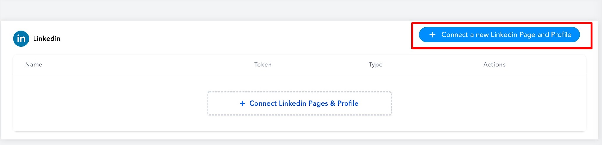
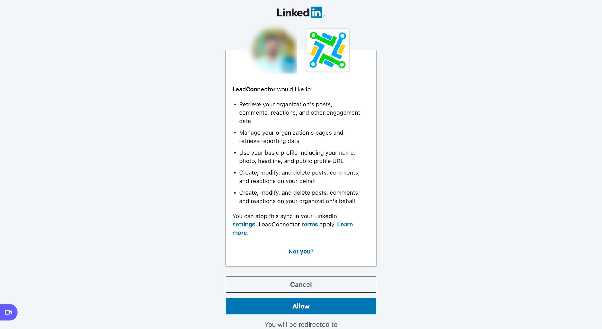
Step 4: If you are connecting it first time inside Social Planner, you will be required to provide the permissions for the social planner.
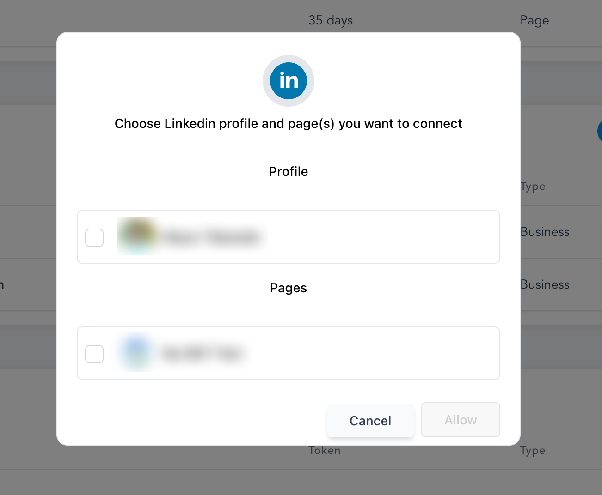
Step 5: Next step is to choose the Linkedin Profile and Page(s) for the social planner
Step 6: You can manage the accounts from the Setting Icon
FAQWhy am I unable to share or repost my content on LinkedIn?
LinkedIn restricts the ability to "Share" and "Repost" content that is published on its pages through third-party applications, as part of its limitations on page functionalities.