How to Add SEO Descriptions and Keywords to Boost Your Ecommerce Ranking
How to Add SEO Descriptions and Keywords to Boost Your Ecommerce Ranking
Adding search engine optimization (SEO) details to your products helps them appear higher in search results, making it easier for customers to find what they're looking for. This guide walks you through adding SEO metadata to your product listings within your CRM.
Prerequisites
Before you begin, make sure:
- Your product is already created in the CRM.
- The product is enabled for listing in your online store.
- You have a featured image set for the product, as it will be used in search previews.
Step-by-Step Guide
To add or edit SEO details for a product:
- Navigate to the Payments section of your CRM and select Products.
- Choose the product you want to optimize, or create a new one.
- On the product edit page, look for the section labeled “Search Engine Listing” or similar.
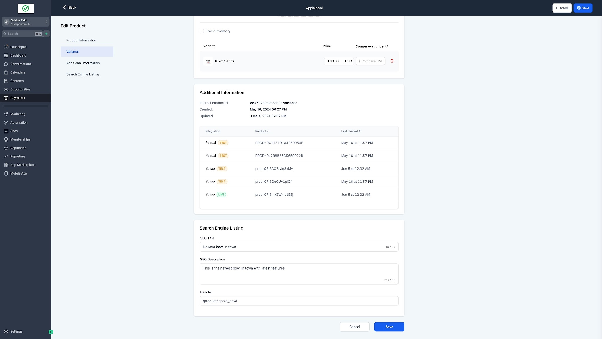
- In this section, you’ll see fields for SEO Title, Meta Description, and URL Handle (slug).
- Fill in a concise, keyword-rich title that summarizes the product.
- Write a compelling meta description (around 150–160 characters) that encourages clicks.
- Customize the URL handle to be short, readable, and include relevant keywords. Ensure it’s unique—no two products can share the same slug.

- Save your changes. The updated SEO information will now be visible to search engines.
Important Notes
- The featured image you’ve set for the product will be used as the preview image in search engine results.
- SEO settings are only available if the product is enabled for display in your online store.
- Each product must have a unique URL handle—avoid duplicates to prevent conflicts.

Expected Outcome
After completing these steps, your product will have optimized metadata that improves its visibility in search engines. Over time, this can lead to higher organic traffic and better conversion rates for your online store.