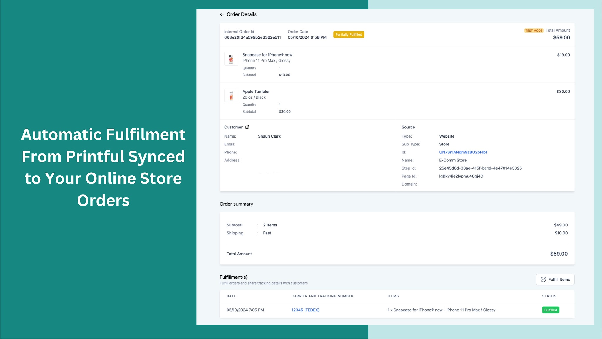
How to Use the New Printful Integration
How to Use the New Printful Integration
About Printful Integration
Printful is a print-on-demand and fulfillment service that lets you offer custom products without managing inventory or shipping. By connecting Printful to your CRM's store, you can expand your product catalog and automate order processing. Products, orders, and fulfillment status sync automatically between Printful and your store.
Integration Benefits
- Expand your product offerings with customizable items.
- Automate order creation and fulfillment without manual steps.
- Receive real-time updates on shipping and order status.
How to Set Up the Integration
- Navigate to your CRM’s app marketplace and install the Printful app.
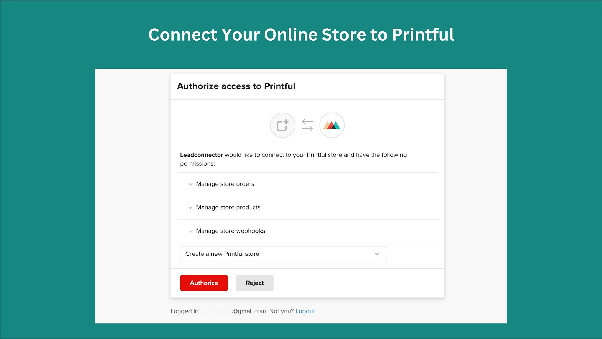
- Connect your Printful account by authorizing access when prompted.
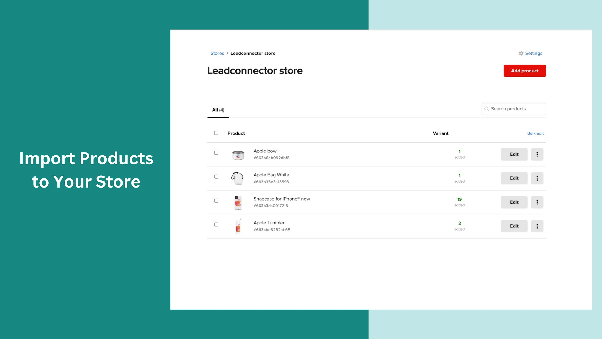
- Import products from Printful into your CRM store. You’ll need to review and enable each product before they appear in your store.
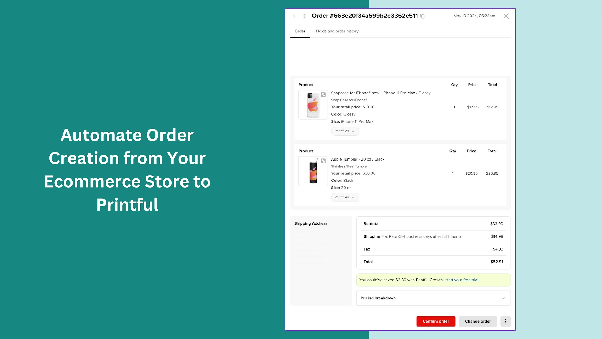
- Once products are published, customers can place orders. These orders will sync to Printful for fulfillment.
- You’ll receive email notifications with shipping details as orders are processed.
Key Features
- Product Import: Bring your Printful products into your CRM store with a few clicks.
- Real-Time Sync: Any changes to products or orders update automatically.
- Order Automation: Orders placed in your store create corresponding orders in Printful.
- Fulfillment Tracking: Shipping status and tracking details sync back to your CRM.
- Email Notifications: Get alerts when orders are shipped or updated.
Important Notes
- Product descriptions may not import from Printful due to platform limitations.
- Verify product availability and shipping restrictions before publishing—some items are region-specific.
- Ensure customer delivery addresses are accurate. Incorrect addresses may prevent order sync or fulfillment.