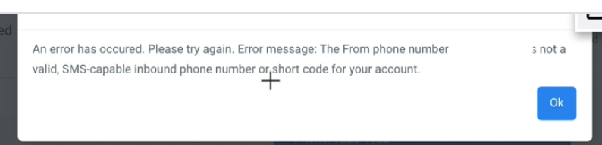
An error has occurred. Please try again. Error message: The From phone number is not a valid, SMS-capable inbound phone number or short code for your account.
Resolving "The From phone number is not a valid, SMS-capable inbound phone number" Error
When sending an SMS message in your CRM, you may encounter the error: "An error has occurred. Please try again. Error message: The From phone number is not a valid, SMS-capable inbound phone number or short code for your account." This error indicates that the phone number you have selected to send the message from is not properly configured or does not have SMS capabilities enabled for your account.
The most common cause is attempting to send from a phone number that is only enabled for voice calls, not for sending and receiving text messages.
How to Fix the Issue
To resolve this, you need to ensure you are using a phone number that is activated for SMS messaging. Follow these steps:
- Log in to your CRM and navigate to the section where your phone numbers are managed (often found in settings related to texting or voice).
- Review the list of phone numbers associated with your account. Look for a clear indication of each number's capabilities (SMS, Voice, or both).
- Select a phone number that is explicitly marked as SMS-enabled to use as your "From" number when sending messages.
If you do not see any SMS-capable numbers, or if the interface does not clearly display this information, you may need to purchase or enable a new number that supports SMS.

After selecting a valid SMS-capable number, try sending your message again. The error should no longer appear, and your SMS will be sent successfully.