Enable Your Landline For Text Messages
Enable Your Landline for Text Messages
With your CRM, you can send and receive SMS messages using your existing landline or other voice-enabled phone numbers. This feature, often called Hosted SMS, allows your number to handle text messages within the CRM while your regular voice service continues to operate normally. The CRM registers your number with its underlying messaging provider to route texts to your account.
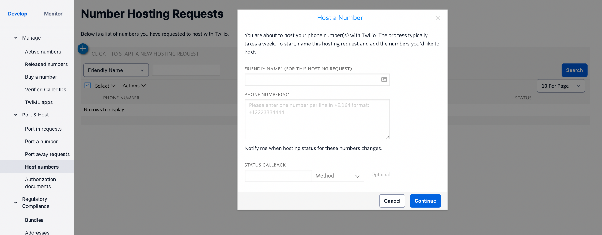
Supported Numbers for Hosted SMS
Currently, Hosted SMS is available for voice-enabled numbers from the United States and Canada as a beta service. Please note that mobile numbers are not eligible for this feature. Support for certain VoIP numbers may be added in future updates. Additionally, numbers that are already registered with the underlying messaging service for voice cannot be hosted on a separate account for SMS.
How to Submit Your Number for Hosted SMS
To enable texting on your landline, you will need to provide specific details so the CRM team can initiate the registration process. After you submit the required information, you will need to complete an ownership verification and sign a Letter of Authority (LoA).
Prepare the following details:
-
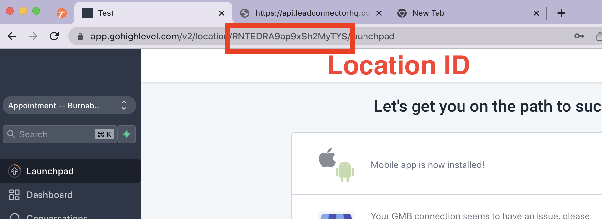
Location ID
This unique identifier is found in the URL of your CRM location settings page.
-
Phone Number(s)
Provide the full phone number you wish to enable for SMS, including the country code (e.g., +17787787878).
Once you have this information ready, contact CRM support to begin the setup process.