Geo Permissions Issues with Twilio
Resolving Twilio Geographic Permission Issues
If you are experiencing problems sending text messages or making calls to specific countries through your CRM's integrated phone system, the issue may be related to Twilio's geographic permissions. These settings control which countries your Twilio phone numbers can communicate with. To resolve this, you may need to review and update these permissions in your Twilio console.
How to Check and Modify Geo Permissions in Twilio
You must access your Twilio account directly to manage these settings. This is a prerequisite step before contacting CRM support for further assistance.
- Log into your Twilio Console.
- Use the search function within the console to find the geographic permissions settings. You can typically search for terms like "geo," "SMS Geographic Permissions," or "Voice Geographic Permissions."
- Select the appropriate permissions section for the service you are troubleshooting (SMS or Voice).
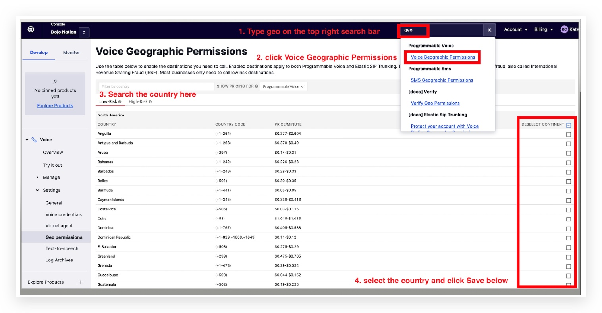
Within the permissions interface, you will see a list of countries and regions. You can enable or disable calling and texting capabilities for each one. If you need to disable permissions for specific high-risk countries or enable a region that is currently blocked, you can make those changes here.
Requesting Assistance from CRM Support
If you are unable to make the changes yourself or are using a white-labeled phone service through the CRM, you will need to contact support. The CRM's phone team can manage geo permissions on your behalf for numbers provisioned through the platform.
To expedite your request, please gather the following information before contacting support via chat or ticket:
- Location ID: Copy the unique identifier for the specific location/business in your CRM where you are experiencing the phone issues.
- Country List: Clearly specify the countries you need to have enabled or disabled for texting and calling.
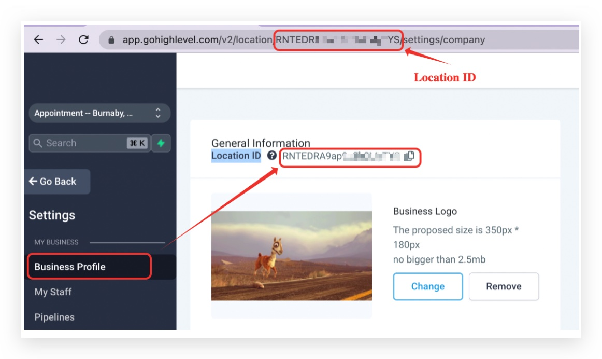
Provide this information to the support agent and request that they escalate a ticket to the dedicated phone team. By default, phone numbers in the CRM are enabled for most countries, with restrictions typically applied only to high-risk regions.
Global Voice Geographic Permissions & Pricing Reference
The following tables provide a regional reference for voice calling permissions and approximate costs per minute. Pricing can vary. Use this as a guide to understand which countries are generally available.
North America & Caribbean
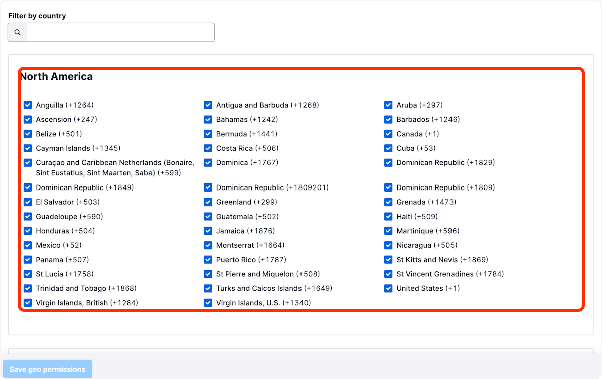
This region includes the United States, Canada, Mexico, and numerous Caribbean islands. Costs typically range from a few cents to over a dollar per minute for certain destinations.
Asia
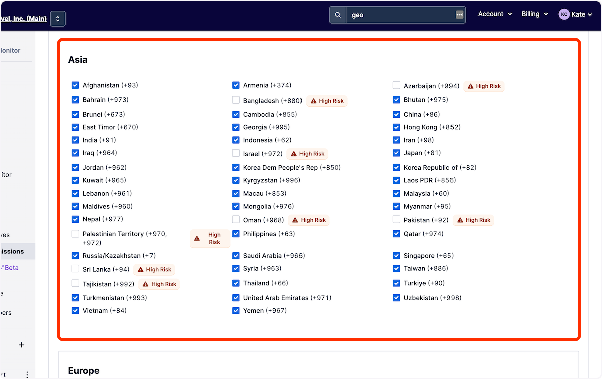
Covering a vast area from the Middle East to East Asia. Rates vary widely, with countries like India and Singapore often on the lower end, and others like the Maldives at a higher cost.
Europe
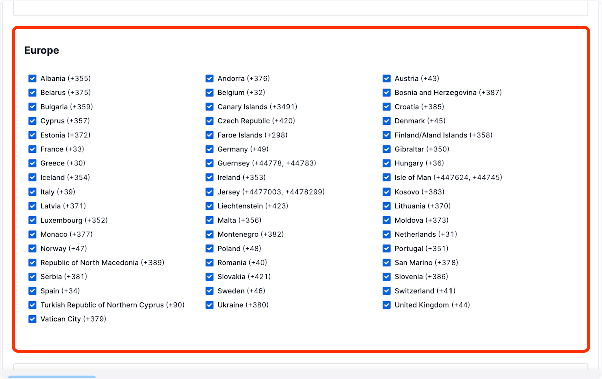
Includes the European Union, the United Kingdom, Eastern Europe, and Russia. Pricing is generally moderate but can be higher for calls to mobile networks.
South America
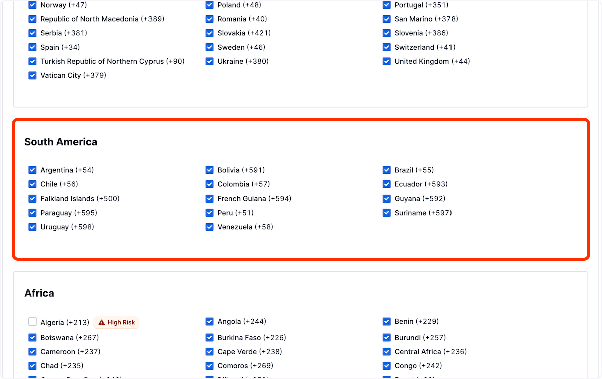
Encompasses all nations in South America. Brazil, Argentina, and Chile are major markets with variable rates depending on the network type.
Africa
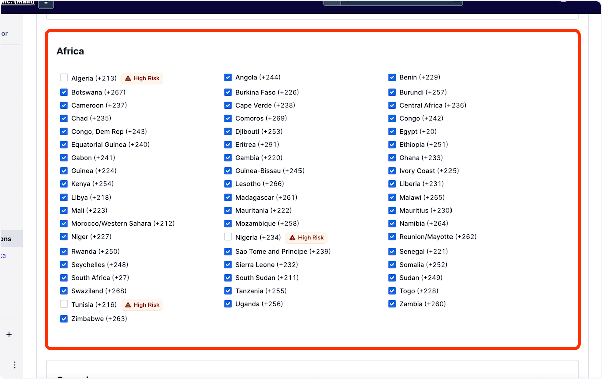
Covers the African continent. Call costs can vary significantly between countries and between landline and mobile numbers.
Oceania & Global

Includes Australia, New Zealand, and various Pacific Island nations. Also refers to global or satellite services which may have specialized pricing.