How to restore a deleted Twilio number
When you delete and release a number, Twilio holds it for 10 days in case you need to reclaim it. After this period, you'll have to contact Twilio support to recover the number. If the sub-account is on LC Phone, please reach out to CRM support.
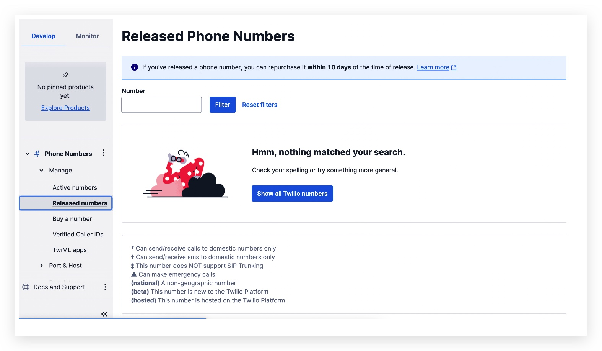
By logging in to Twilio Console, you can restore numbers that you released in the past 10 days. Release numbers will show up on Console's Released Numbers page.
1. Log on to Twilio console 2. Go to the top right -> Click Account -> Click on Subaccounts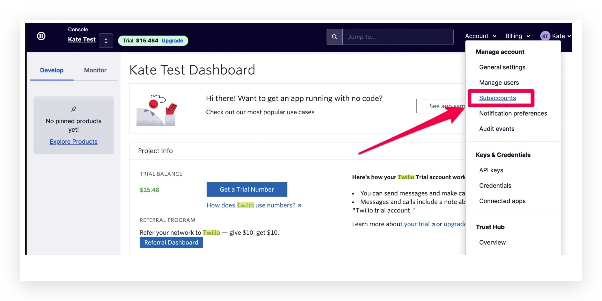
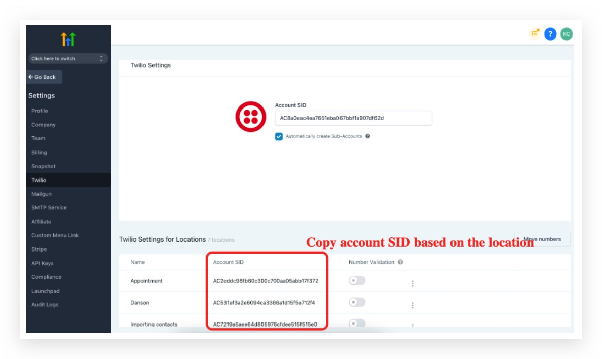
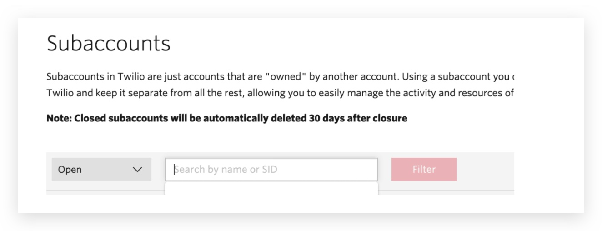
Go to Explore Products > Scroll down to find Phone numbers
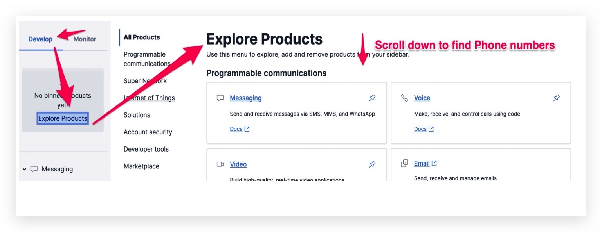
Click on Phone numbers: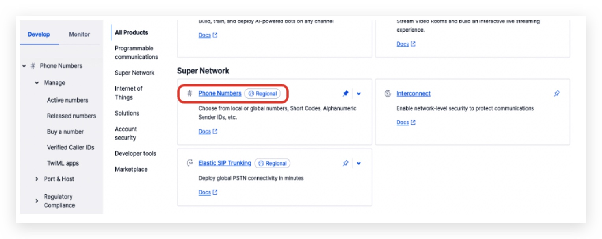
Expand Phone Numbers on the left menu > Manage > Released numbers
Simply click on the Repurchase Number button
Note that the action is considered to be repurchasing the phone number, so you'll be charged the monthly fee upon performing the action.
If you don't see numbers you wish to restore anymore on the Released Numbers page, please contact Twilio support for help.